How can Freight Forwarders Make the Most of CargoWise for Better Efficiency?
CargoWise efficiency isn’t about working harder; it’s about removing what slows your operations down.
In freight forwarding, you can have a skilled team, strong customer relationships, and a powerful platform such as CargoWise. However, if your processes are not optimized, inefficiencies will gradually erode your margins. Many freight forwarders use CargoWise on a daily basis, though they only utilize 20-40% of its features.
Simply implementing CargoWise doesn’t guarantee efficiency. The real advantage comes from how well the system is configured, integrated, and aligned with your operations.
So how can freight forwarders truly make the most of CargoWise? Let’s break it down.
Why is CargoWise Efficiency More Important than Ever?
Speed is no longer a competitive advantage in logistics; it is the benchmark.
Customers want real-time updates. Finance teams expect accurate billing. Operations must move faster without errors. In this environment, CargoWise becomes the core operational engine of your business.
When CargoWise isn’t optimized, the impact appears across the organization:
- Operational delays due to manual workflows
- Revenue leakage from incorrect tariffs and auto-rating setup
- Limited visibility across teams
- Slower decision-making
- Customer dissatisfaction due to delayed updates
- Inconsistent financial reporting
A properly configured CargoWise environment helps you
- Process shipments faster with fewer errors
- Improve billing accuracy and financial control
- Enhance coordination between operations and finance
- Provide real-time visibility across departments
- Deliver a better customer experience
Companies that optimize CargoWise don’t just operate; they scale faster and stay competitive.
What’s Holding Freight Forwarders Back in CargoWise?
Most inefficiencies in CargoWise don’t come from the system; they come from how it’s used, configured, integrated, and customized
Many freight forwarders invest in CargoWise expecting simplified operations, but over time, they still face delays, billing issues, and workflow confusion. The problem isn’t the platform; it’s the gap between system capability and actual usage.
Common causes include:
Poor System Configuration and Implementation
Incorrect tariff, charge code, and auto-rating configurations result in pricing inconsistencies and manual corrections.
Lack of Standardised Workflows
Teams use different processes for similar tasks, which causes delays, duplication, and missed steps.
Inconsistent Data Entry and Poor Master Data Management
Duplicated records, incomplete shipment data, and unstructured registries all have an impact on reporting and billing accuracy.
Underutilization of Key Features
Automation tools, reporting capabilities, and workflow triggers are frequently not fully integrated.
Disconnected Systems and Lack of Integration
Manual data transfer between CargoWise and other platforms slows operations and increases error rates.
Limited Visibility Across Departments
Operations, finance, and customer service teams operate in silos, resulting in miscommunication and inefficiencies.
These difficulties cause a chain reaction, resulting in slower operations, lower profitability, and lower customer satisfaction.
Key Ways to Get More Efficiency from CargoWise
Improving CargoWise efficiency doesn’t require a complete system overhaul; it starts with optimizing how you configure, automate, and use the platform.
Implement CargoWise the Right Way from Day One
A well-planned CargoWise implementation sets the foundation for long-term efficiency.
Many freight forwarders struggle because their system wasn’t configured correctly at the start.
A structured implementation approach includes:
- Company and brand onboarding aligned with workflows
- User setup and role-based access control
- Registry configuration (trade lanes, customs, etc.)
- Warehouse setup for inventory and order management
- Shipment and consolidation setup for smoother operations
- Web Tracker setup for real-time customer visibility
- eHub adapter integration for seamless partner connectivity
- Regular patch updates to keep the system optimized
Getting this right early helps to avoid rework, confusion, and inefficiencies later.
Optimize CargoWise with the Proper Integrations
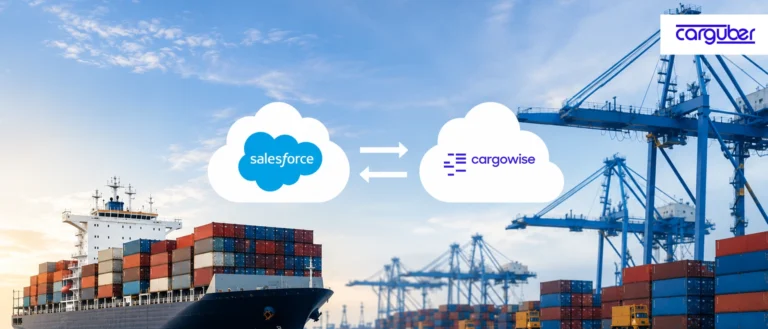
One of the most important ways for freight forwarders to increase efficiency is through CargoWise integration with external ERP systems, tools, and partners.
Without proper integrations, teams frequently deal with the following.
- Manual data entry
- Delayed updates
- Disconnected workflows
Integrating CargoWise with carriers, finance systems, and third-party platforms enables you to:
- Automate data exchange
- Reduce manual effort
- Improve real-time visibility across operations
Customize CargoWise to Match Your Workflow
Every logistics business is unique, so using a standard system setup will not always yield the best results.
That’s where CargoWise customization makes a huge difference.
Instead of adjusting your processes to fit the system, CargoWise can be tailored to your operations, increasing departmental efficiency.
What can you customize?
Document Customizations
- AR/AP invoice templates
- House Bill documents
- Quotation formats
- Packing lists
- Customs entry and declaration documents
- Delivery orders and credit/debit notes
Report Customizations
- Financial reports
- Operational KPI dashboards
- Shipment status tracking
- Client-specific performance reports
- Employee productivity tracking
- Carrier performance and cost analysis
- Daily Sales Reports (DSR)
Label Customizations
- Shipping labels (carrier-specific formats like FedEx, UPS)
- Pallet and warehouse labels
- Pick/pack and return labels
- Inventory tags
Screen Customizations
- Job costing screens
- Booking and consolidation screens
- Customer and supplier management screens
- Rate management screens
- Compliance and shipment tracking screens
- Order management interfaces
When your system accurately reflects your current workflow, teams spend less time adjusting and more time executing.
Configure CargoWise to Automate Workflows and Notifications
CargoWise configuration is another effective method for increasing efficiency. Custom fields, workflows, and automated notifications are all examples of system components. A well-structured configuration minimizes manual intervention, increases visibility, and ensures consistent operational execution.
Core CargoWise Configurations
- Report Scheduler Configuration
- Registry Setup and Configuration
- E-Hub Adapter Configuration
- Shipment Custom Field Configuration
- Milestone Configuration
- Trigger Configurations
- Workflow Configuration
- Order Custom Field Configuration
- Warehouse Custom Fields Configuration
- Custom Report Configuration
- Security Configuration
- API Integration Configuration
- Shipping Instructions (SI) Configuration
- GL Account Configuration
These configurations contribute to process standardization, data flow automation, and improved coordination among operations, finance, and warehouse teams.
Notifications and Alerts
Automated notifications further increase operational visibility and reduce follow-ups:
- Milestone Update Notifications
- Document Auto-Delivery Notification
- E-Docs Document Upload Notification
- E-Document Upload Notification with Attachment
- Shipment Status Update Notification
- Invoice Generation Notification
- Exception Management Notifications
With the right configurations and alerts in place, teams can track shipment progress, receive timely updates, and reduce manual communication. This improves response time, minimizes errors, and ensures smoother end-to-end logistics operations.
Improve Data Visibility with Custom Reports and Screens
Data visibility is one of the most underutilized efficiency drivers in CargoWise.
Decision-making slows down when your team cannot quickly access the necessary information.
Using customized reports and screens, you can:
- Get real-time insights into operations
- Track KPIs that matter to your business
- Identify bottlenecks faster
- Improve financial and operational control
This transforms CargoWise from a system to a decision-making tool.
Align System Setup with Real Operational Needs
Even with the right features, efficiency improves only when the system simulates real-world operations.
That means:
- Optimizing workflows based on how your team actually works
- Ensuring pricing, operations, and finance are aligned
- Reducing manual intervention wherever possible
When everything is linked, from pricing to shipment execution to invoicing, you get a simplified workflow.
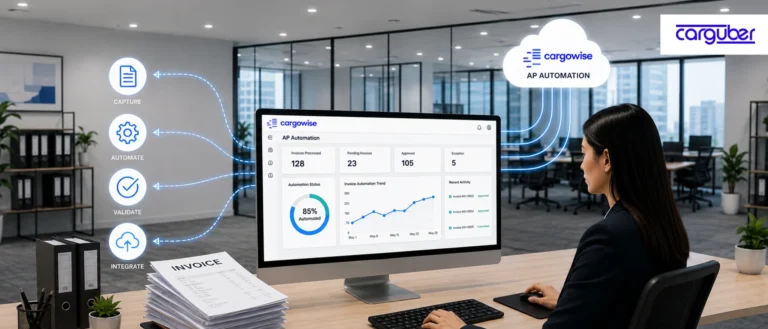
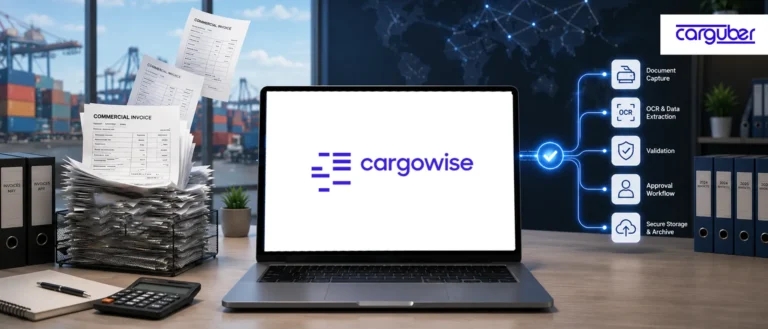
Use AI-Powered Document Automation in CargoWise to Reduce Manual Work
Let’s face it: manual document handling remains one of the most time-consuming aspects of freight forwarding.
Processing invoices, validating shipment documents, and matching data across systems adds up. With high volumes, even minor errors can result in delays and financial discrepancies.
This is where AI-powered document automation can make a significant difference.
By automating document workflows, freight forwarders can:
- Extract data from invoices, bills of lading, and shipping documents automatically
- Match data with CargoWise records in real time
- Reduce manual entry and human errors
- Speed up invoice processing and approvals
What was the result? Faster operations, fewer errors, and greater financial accuracy, all without overwhelming your team.
Leverage BI Solutions for Better Decision-Making
CargoWise stores massive amounts of operational and financial data, but without the proper visibility, that data does not always translate into insights.
BI dashboards and solutions help to close this gap.
Using the appropriate BI tools, you can:
- Track key operational KPIs in real time
- Monitor shipment performance and delays
- Analyze revenue, costs, and margins
- Identify inefficiencies across departments
- Make faster, data-driven decisions
Rather than reacting to problems as they arise, BI dashboards enable you to stay one step ahead. When your data becomes actionable, you can make more informed decisions.
Improve Team Collaboration and Visibility Across Operations
One of the most difficult challenges in logistics is keeping everyone on the same page.
Operations, finance, warehouse, and customer service teams frequently operate in silos, resulting in miscommunication and delays.
Improving collaboration within CargoWise and connected systems allows you to:
- Ensure all teams have access to the same real-time data
- Reduce back-and-forth communication
- Improve coordination across departments
- Minimize errors caused by misalignment
Better visibility leads to fewer surprises and smoother day-to-day operations.
Build Customer-Facing Portals, Apps, and Dashboards
Customers today do not want to chase updates; rather, they expect visibility.
Giving them direct access to shipment data can greatly enhance their experience.
Portals, apps, and dashboards enable you to:
- Offer real-time shipment tracking
- Share documents and updates instantly
- Provide customized dashboards for key clients
- Reduce dependency on emails and manual updates
This not only improves customer satisfaction but also reduces your team’s workload.
When customers can see what is going on, they are more likely to trust your operations.
Carguber Delivers an End-to-End CargoWise Support and Helpdesk
Getting real efficiency from CargoWise doesn’t just depend on the system; it depends on how well it’s implemented. A structured, step-by-step approach ensures your operations run smoothly from day one, without confusion, rework, or costly mistakes.
Here’s how Carguber helps freight forwarders successfully implement and optimize CargoWise:
1. Understanding Your Business Needs First
Every logistics business is unique, so the process begins with an understanding of your operations.
- Analyze workflows across freight, customs, finance, and warehouse
- Identify pain points and inefficiencies
- Gather functional and technical requirements
- Prepare requirements documentation
- Align stakeholders and obtain approval
This ensures that the system is designed around your business, not the other way around.
2. System Setup and Configuration to Match Your Workflow
Once the requirements are defined, the system is set up to support your operations.
- Configure Freight, Customs, Accounting, and Warehouse modules
- Set up registries, trade lanes, and master data
- Define user roles and permissions
- Configure workflows and approvals
- Implement automation and integrations
The goal is to build a system that functions harmoniously across departments.
3. Clean and Accurate Data Migration
Data migration is critical to the system’s accuracy and reliability.
- Clean and organize legacy data
- Map data to CargoWise structure
- Perform validated data migration
- Verify post-migration accuracy
Clean data enables more efficient operations and reliable reporting.
4. Training Your Team for Real-World Usage
User acceptance is critical for implementation success.
- Conduct hands-on user training
- Provide documentation and guides
- Explain workflows and system usage
- Support change management
This ensures that teams are confident and prepared to use the system.
5. Testing the System Before Go-Live (UAT)
Before launching, everything is tested to ensure that it works as expected.
- Validate system configurations
- Test cross-department workflows
- Verify integrations
- Run real business scenarios
- Confirm data accuracy
User acceptance testing ensures system readiness.
6. Go-Live with Full Support
Once approved, the system goes into production.
- Launch in live environment
- Monitor performance
- Provide immediate support
This guarantees a smooth operational transition. At this point, your team is fully prepared to run CargoWise independently.
Conclusion
Making the most of CargoWise isn’t about using more features; it’s about using the right ones effectively. When CargoWise is properly configured, integrated, and aligned with your operational workflows, it becomes a powerful driver of efficiency across your organization.
If your team is only using a small portion of CargoWise’s capabilities, now is the time to optimize your setup. The right configuration, automation, and integrations can enhance operational speed, reduce manual labor, and improve financial accuracy. Book a free consultation call with Carguber today and start turning CargoWise into your competitive advantage.