How does CargoWise AP Invoice Automation Reduce Manual Work for Logistics Finance Teams?
More shipments typically result in more business, but they also generate more supplier invoices for finance teams to capture, validate, match, approve, and process in CargoWise.
Unlike standard AP workflows, logistics invoices are associated with shipments, jobs, accruals, charge codes, currencies, and multiple service providers. As invoice volumes increase, manual processing can slow down AP operations, increase errors, and put additional strain on finance teams.
The CargoWise AI document automation solution accelerates the process through AI-powered document processing, automated validation, CargoWise integration, and exception-based workflows. Automation handles repetitive tasks, while finance teams handle discrepancies, approvals, and financial control.
Why is Accounts Payable Processing Complex for CargoWise Users?
Logistics AP processing involves more than entering invoice data into a finance system.
A single shipment may generate invoices from shipping lines, airlines, trucking companies, warehouses, customs brokers, overseas agents, and other service providers. Each invoice must be connected with the correct supplier, shipment, job, charge, or accrual.
Invoices may also arrive as PDFs, scanned documents, spreadsheets, and email attachments with different layouts.
As a result, finance teams often spend time:
- Reviewing supplier invoices
- Capturing invoice and shipment data
- Finding CargoWise job or financial records
- Comparing actual charges with expected costs
- Identifying duplicate invoices
- Investigating discrepancies
- Managing approvals
- Processing payable transactions
As invoice volumes increase, these repeated activities can create AP roadblocks.
The key question is: How can logistics companies process more invoices without increasing manual workload at the same rate?
What is CargoWise Accounts Payable Invoice Automation?
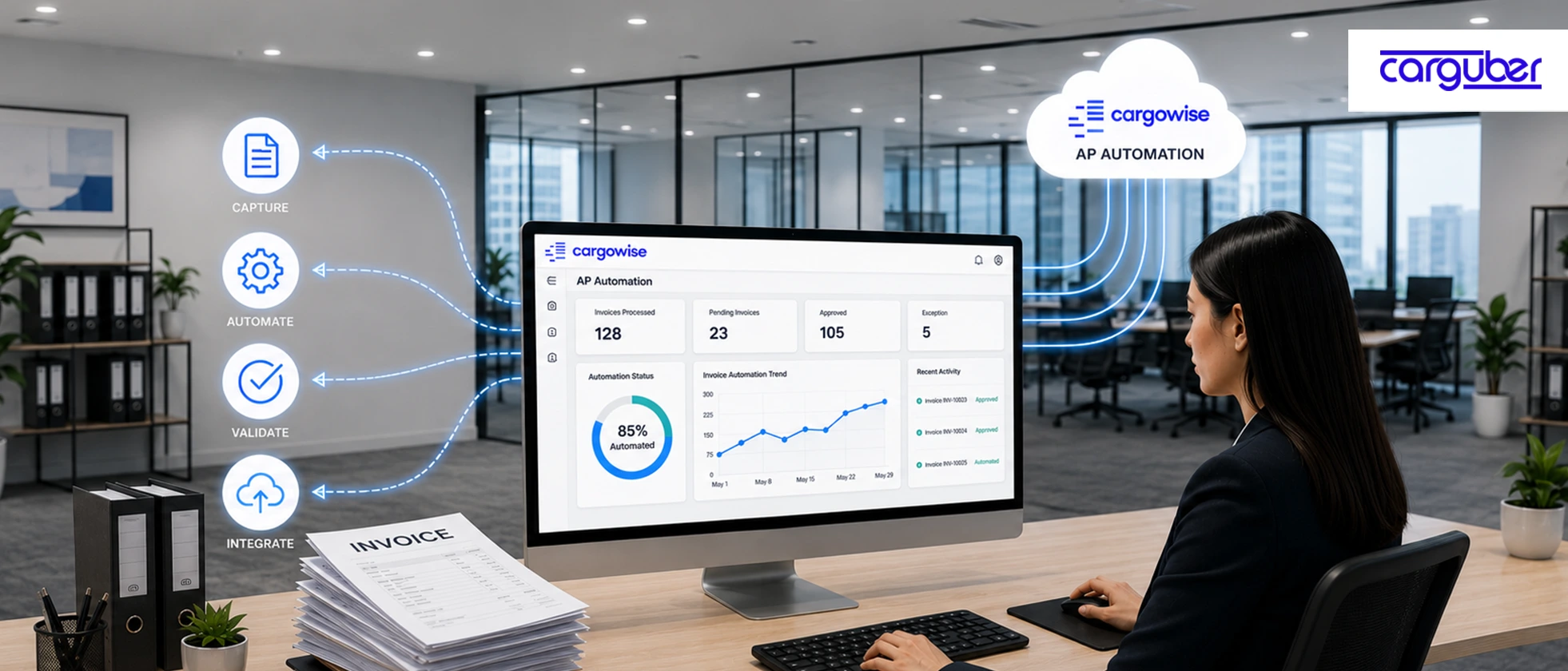
CargoWise Accounts Payable Invoice Automation is an AI-powered solution that automates the capture, validation, approval, and posting of supplier invoices to CargoWise.
Instead of manually entering invoice details, AI extracts financial data from invoices, compares it to shipment records, identifies discrepancies, and prepares invoices for approval. Finance teams only review exceptions, while routine invoices are routed through the workflow automatically.
A typical workflow follows this process:
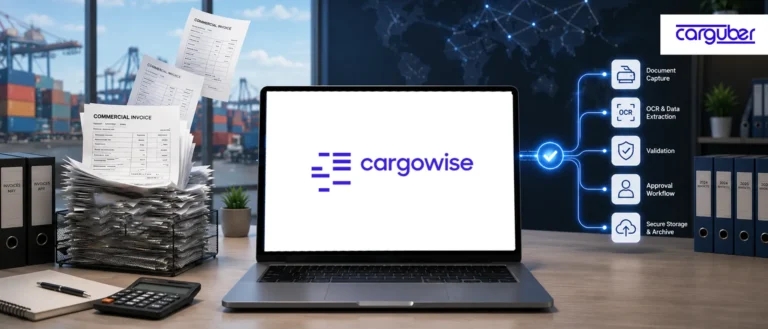
Invoice Receipt → Document Classification → AI Data Extraction → Business Validation → CargoWise Matching → Exception Handling → Approval Workflow → Financial Processing
The objective is not to remove human oversight. It is to allow finance teams to focus on transactions that require judgment and financial expertise.
How does CargoWise AP Invoice Automation Work?
CargoWise AP Invoice Automation uses a structured workflow to capture supplier invoices, extract and validate key data, and match it to relevant CargoWise records. It then sends exceptions and approvals to the appropriate users before incorporating validated data into the financial workflow.
1. Automatically Capture Incoming Invoices
Supplier invoices may arrive through shared inboxes, document uploads, portals, or connected systems.
Automation captures these documents and routes them into a centralized workflow. This reduces the time employees spend downloading, organizing, and forwarding invoices.
2. Extract Critical Invoice Data
AI-powered document processing identifies invoice documents and extracts relevant financial and operational information.
This can include:
- Supplier and invoice details
- Invoice and due dates
- Currency and tax information
- Shipment or job references
- Charge descriptions and codes
- Line-item values and totals
Unlike template-based tools, AI-powered processing can manage invoices with different formats and layouts.
3. Validate Invoice Information
Data extraction alone is not enough. The information must be validated before it moves through the AP workflow.
Automation can check:
- Mandatory fields
- Supplier information
- Invoice numbers
- Currency and tax details
- Shipment references
- Total values
- Potential duplicates
Valid transactions continue through the workflow, while discrepancies are flagged for review.
4. Match Invoices with CargoWise Records
This is where AP automation tailored to logistics offers substantial benefits.
It might be necessary to match invoice data with the appropriate supplier, job, shipment, accrual, or financial record.
Finance teams might have to spend a lot of time looking up references and comparing invoiced charges with anticipated costs if there is no automation. Faster and more reliable matching between verified invoice data and pertinent records is made possible by CargoWise integration.
5. Manage Invoice Exceptions
Not every invoice should be processed automatically.
Exceptions may include:
- Missing job references
- Duplicate invoice numbers
- Incorrect supplier information
- Unexpected charges
- Currency differences
- Accrual mismatches
- Incomplete invoice data
Instead of asking personnel to check every invoice, automation prioritizes transactions that fall outside predefined rules or tolerances.
This creates an exception-based workflow where finance teams focus on discrepancies that require human oversight.
6. Route Invoices for Approval and Processing
Validated invoices can move through approval workflows based on the company’s financial controls.
Approval rules may depend on:
- Invoice value
- Supplier
- Branch
- Department
- Exception type
- Financial authority
Once validation and approval are complete, the invoice data can move into the appropriate CargoWise workflow.
Manual vs. Automated CargoWise AP Processing
| Aspect | Manual AP Processing | Automated AP Processing |
| Invoice capture | Employees manually collect invoices | Documents enter a centralized workflow |
| Data extraction | Manual data entry | AI extracts invoice information |
| Validation | Employees manually validate data | Business rules check invoice details |
| CargoWise matching | Manual record searches | Faster matching with relevant records |
| Exception handling | Every invoice requires review | Exceptions are prioritized |
| Approval | Manual routing and follow-ups | Rule-based approval workflows |
| Scalability | Workload grows with invoice volume | Higher volumes are processed efficiently |
| Employee focus | Routine processing | Exceptions and financial control |
The biggest difference is how finance teams use their time. Automation manages repetitive work, while employees focus on discrepancies, approvals, and financial accuracy.
What are the Benefits of CargoWise AP Invoice Automation?
Effective AP invoice automation can help logistics companies:
- Accelerate invoice processing
- Reduce repetitive data entry
- Improve financial data accuracy
- Detect duplicates and discrepancies earlier
- Simplify matching with CargoWise jobs and accruals
- Improve AP workflow visibility
- Prioritize exceptions
- Scale invoice processing without proportional workload growth
The value extends beyond speed. A well-designed CargoWise AP automation workflow improves financial control by allowing routine transactions to flow smoothly while exceptions receive the appropriate level of attention.
Why does AI Make AP Automation More Effective?
Traditional OCR and template-based automation often depend on fixed document layouts. This becomes difficult when suppliers submit invoices using different formats.
AI-powered document processing goes beyond reading text. It identifies document types, understands different invoice layouts, extracts relevant information, and prepares it for validation within the CargoWise workflow.
However, AI alone is not enough.
Effective CargoWise AP automation also requires:
- Validation rules
- CargoWise integration
- Financial controls
- Exception management
- Approval workflows
- Human oversight
The strongest approach is not simply to automate existing manual steps. It is to redesign the AP workflow so technology handles predictable transactions and finance teams focus on higher-value activities.
How does Carguber Simplify CargoWise AP Invoice Automation?
Every logistics company manages accounts payable differently. Supplier networks, invoice formats, CargoWise configurations, approval requirements, financial controls, and exception rules vary between businesses.
Carguber helps logistics companies design CargoWise AP invoice automation around their existing financial processes.
The workflow can support:
- Automated invoice capture
- AI-powered data extraction
- Business-rule validation
- CargoWise record matching
- Duplicate and discrepancy detection
- Exception management
- Approval routing
- Financial workflow processing
By moving repetitive work to automation and prioritizing exceptions, Carguber helps finance teams improve processing efficiency, accuracy, scalability, and financial control.
Conclusion
Is your CargoWise AP process prepared for automation?
As logistics operations grow, manually processing every supplier invoice becomes difficult to scale.
CargoWise Accounts Payable Invoice Automation provides a smarter approach by combining AI-powered document processing, validation, CargoWise integration, and exception-based workflows.
Instead of spending finance hours on routine invoice processing, teams can focus on discrepancies, controls, approvals, and higher-value financial activities.
Ready to simplify your CargoWise AP invoice workflow? Contact Carguber to explore an automation process designed around your financial and operational requirements.